Sanitized engineering pattern
Centralized Cron Management and Remote Deployment
A centralized Linux cron deployment pattern using SSH key authentication to prepare, install, and verify scheduled jobs across multiple servers.
Sanitized engineering pattern — This page explains a reusable Linux automation approach. Company-specific servers, user accounts, paths, cron jobs, and access configuration are intentionally excluded.
Overview
Managing cron jobs manually becomes difficult when many servers are involved. Cron definitions can become spread across different Linux servers, and routine changes can require an engineer to log in to each server separately.
This pattern keeps cron definitions on one management host and deploys them to remote Linux servers through SSH key authentication. The cron file is copied to the target server and installed using crontab.
Architecture
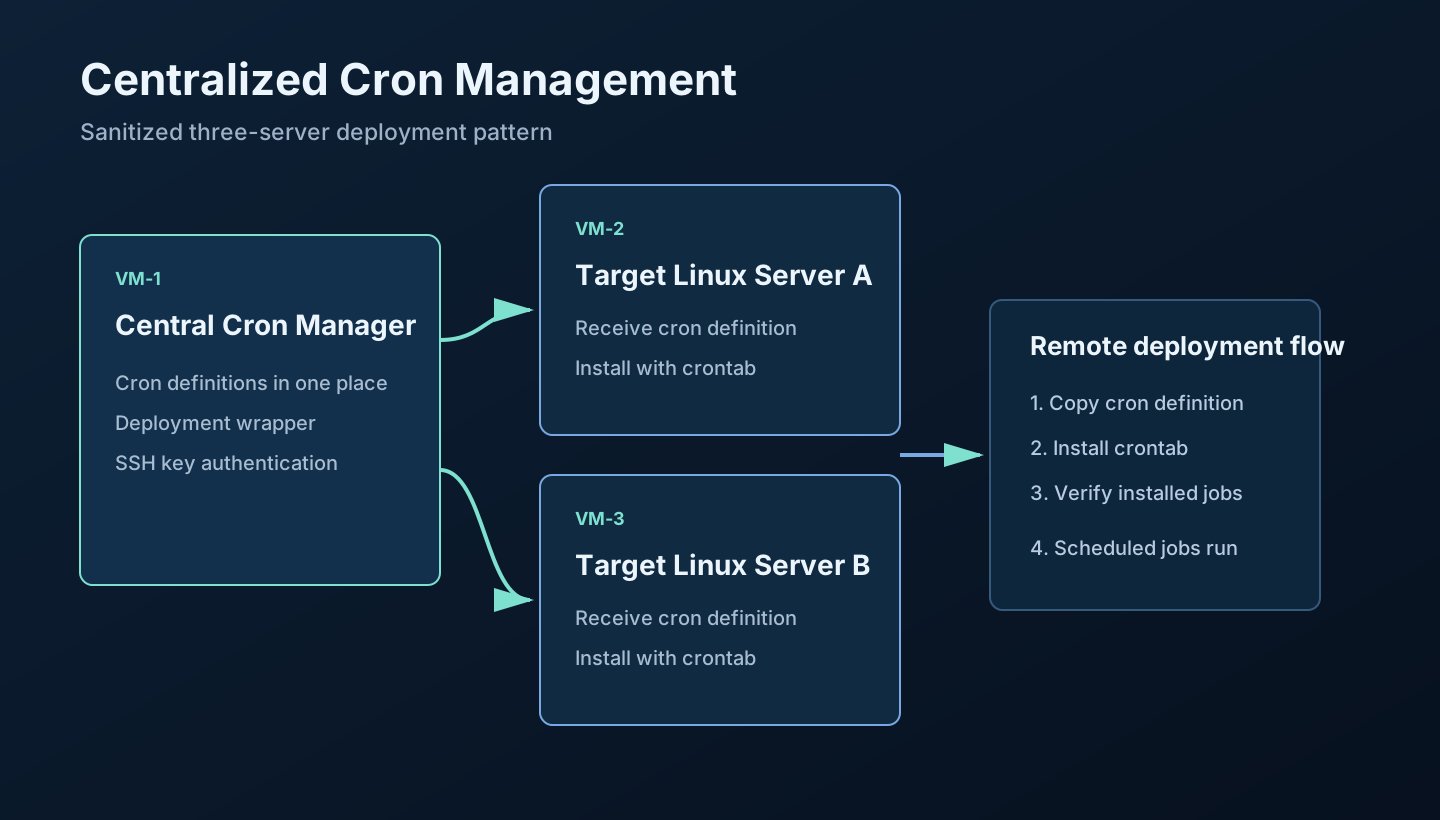
The three-server example shows one Central Cron Manager and two target Linux servers. The same approach can support more targets without changing the basic deployment flow.
How the setup works
1. Create the management user
A dedicated management user keeps the automation work separate from a personal shell account.
sudo useradd --create-home --shell /bin/bash cron-manager
2. Create the SSH key
SSH key authentication lets the management server connect to a target server without entering a password during each deployment.
ssh-keygen -t ed25519 -C "krstack-cron-manager"
The private key stays on the management server. Only the public key is installed on the target server.
3. Install the public key on target servers
Use the target automation account and a placeholder host while setting up access.
ssh-copy-id <user>@<target>
4. Test SSH connectivity
Test the connection before automating a cron deployment.
ssh <user>@<target> "hostname"
5. Create the central cron directory
The management server keeps versioned cron definitions in one clear location.
mkdir -p ~/cron-definitions
6. Create a cron definition
The cron definition contains only the scheduled jobs intended for a target server.
*/5 * * * * /usr/local/bin/application-health-check.sh
0 2 * * * /usr/local/bin/daily-maintenance.sh
The first example runs a harmless health-check script every five minutes. The second runs a maintenance script once each day.
7. Copy the cron definition to the remote server
scp <cron-file> <user>@<target>:/tmp/
8. Install the crontab remotely
ssh <user>@<target> "crontab /tmp/<cron-file>"
9. Verify the installed crontab
ssh <user>@<target> "crontab -l"
SSH key authentication
SSH key authentication supports non-interactive deployment without putting a password in a script. The management host uses its protected private key, while the target host accepts the matching public key for the dedicated automation account.
The public implementation should use a dedicated automation account, minimal permissions, restricted SSH access, and an audit trail for cron changes.
Remote deployment
A simple deployment uses two remote actions: copy the prepared file, then install and verify it with crontab. Keeping these steps explicit makes it easier to identify whether an issue is caused by connectivity, file transfer, or the cron installation itself.
Example deployment wrapper
This is a generic example, not an exact production script.
#!/usr/bin/env bash
set -euo pipefail

[ "$#" -eq 2 ] || { echo "usage: deploy-cron <target> <cron-file>"; exit 2; }
target="$1"
cron_file="$2"
remote_file="/tmp/cron-definition"

scp "$cron_file" "$target:$remote_file"
ssh "$target" "crontab $remote_file && crontab -l"
The wrapper receives a target host and a cron definition, copies the file, installs it, and verifies the resulting crontab.
Security note
The original engineering pattern used SSH key-based remote access. For a reusable implementation, protect the private key, use a dedicated automation account, grant only the permissions needed for cron installation, restrict SSH access, avoid passwords in scripts, and audit cron changes.
What this solved
- Reduced the need to manually log in to every target server.
- Provided one place to prepare cron definitions.
- Made remote cron installation repeatable.
- Made verification easier.
- Provided a clearer operational workflow for multiple Linux servers.
What this work demonstrates
Linux operations
Linux administration, cron, crontab, server operations, and troubleshooting.
Automation
Bash, remote automation, central definitions, and repeatable deployment workflow.
Access control
SSH key authentication, dedicated automation access, and controlled remote changes.
Engineering discussion
Compare approaches, safely.
Questions and technical feedback are welcome. Public discussion is not enabled yet; use the contact flow for an engineering conversation.
Start a conversation